HTML forms
| Institution | Jomo Kenyatta University of Science and Technology |
| Course | Information Technol... |
| Year | 2nd Year |
| Semester | Unknown |
| Posted By | Jeff Odhiambo |
| File Type | |
| Pages | 36 Pages |
| File Size | 328.17 KB |
| Views | 3352 |
| Downloads | 0 |
| Price: |
Buy Now
 Buy via
whatsapp Buy via
whatsapp
|


Description
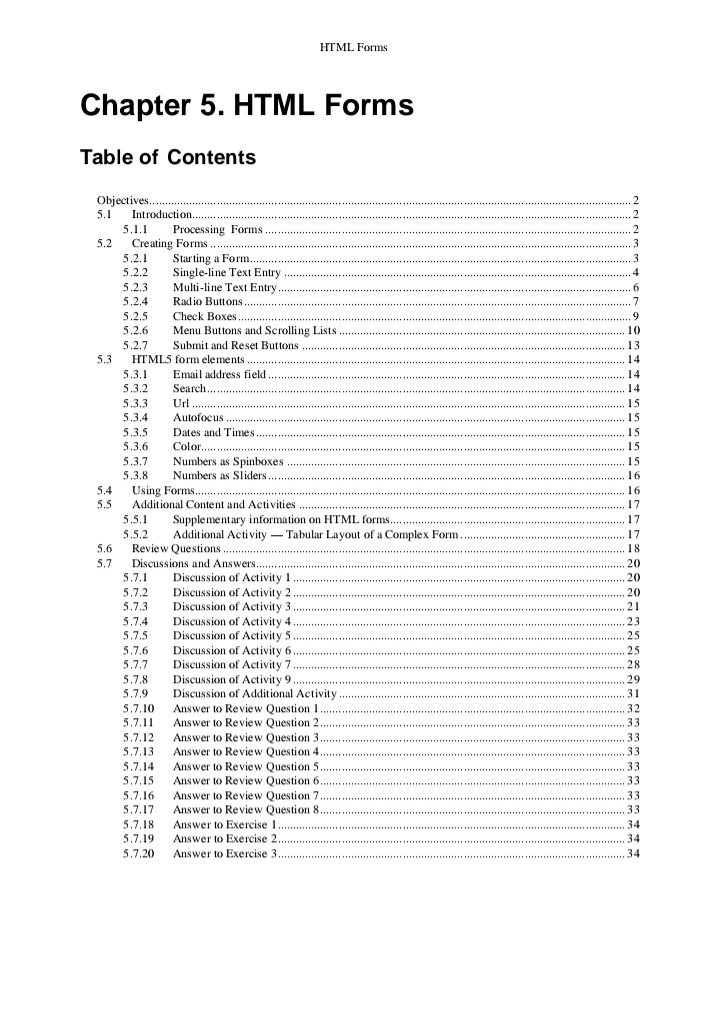
HTML forms are a fundamental feature of web development that allow users to input and submit data to a web server. Forms are created using the <form> element, which can contain a variety of input fields like text boxes, checkboxes, radio buttons, dropdowns, and buttons. These elements enable users to interact with the page and provide information such as login credentials, search queries, or feedback. The data entered into a form is sent to a server for processing when the form is submitted, typically via HTTP methods like GET or POST. Forms are integral to creating dynamic, interactive, and user-friendly web applications.
Below is the document preview.

Data Synchronization Pattern in mobile application design
Trending!
The Data Synchronization Pattern in mobile application design involves ensuring that data across multiple devices or systems remains consistent and up-to-date. This pattern typically addresses the challenges of managing data when a device is offline or has intermittent connectivity. It uses strategies like background syncing, conflict resolution, and version control to keep local data in sync with remote servers or cloud services. When the device reconnects to the network, the app automatically synchronizes the local data with the server, ensuring that updates made offline are reflected online and vice versa. This pattern enhances user experience by ensuring data availability and consistency without requiring constant connectivity.
14 Pages
3244 Views
0 Downloads
428.56 KB
Merge replication
Trending!
Merge replication is a type of database replication where changes made at multiple sites can be synchronized and merged, allowing data to be updated at various locations independently and then later reconciled. This approach is commonly used in distributed systems where multiple databases need to operate autonomously but must eventually sync with a central repository or among each other. The system tracks changes through conflict resolution mechanisms, ensuring that updates from different sources do not cause data inconsistencies. Merge replication is typically used in scenarios where data is continuously updated in different locations, such as mobile applications or remote office setups.
3005 Views
0 Downloads
204.05 KB
Mobile user interface
Trending!
A mobile user interface (UI) refers to the design and layout of elements that allow users to interact with a mobile device. It encompasses the visual components such as buttons, icons, menus, and text fields, along with the overall structure of screens and navigation flows. A mobile UI is optimized for touch interactions, featuring intuitive gestures like swiping, tapping, and pinching. The goal is to create a seamless, user-friendly experience by ensuring accessibility, efficiency, and responsiveness across different mobile devices and screen sizes. A well-designed UI enhances usability and promotes positive user engagement with the app or system.
3503 Views
0 Downloads
11.16 MB
Mobile application security
Trending!
Mobile application security involves protecting mobile apps from threats and vulnerabilities that could compromise the confidentiality, integrity, and availability of data and services. It includes ensuring secure coding practices, implementing proper encryption, and applying authentication and authorization mechanisms to prevent unauthorized access. Additionally, security measures like secure data storage, safe communication protocols, and regular updates help safeguard against malware, data breaches, and other cyberattacks targeting mobile devices. As mobile apps often interact with sensitive personal information, securing them is crucial to maintaining user privacy and preventing exploitation.
3630 Views
0 Downloads
1.06 MB
Cryptographic security in Android apps
Trending!
Cryptographic security in Android apps is a crucial aspect of protecting sensitive data and ensuring privacy. It involves using encryption algorithms, secure key management, and secure communication protocols to safeguard information both at rest and in transit. Android provides various cryptographic tools, such as the Keystore system, to securely store cryptographic keys and prevent unauthorized access. Developers use these tools to implement features like data encryption, secure authentication, and integrity verification. By leveraging cryptographic security, Android apps can protect user data from threats such as data breaches, man-in-the-middle attacks, and unauthorized access, ensuring that user information remains private and secure.
No pages found
3873 Views
0 Downloads
861.82 KB
Evaluation of cryptography usage in android application
Trending!
The evaluation of cryptography usage in Android applications focuses on assessing how effectively cryptographic techniques are implemented to secure sensitive data, such as passwords, personal information, and transaction details. This evaluation includes examining the selection of cryptographic algorithms (e.g., AES, RSA), key management practices, and the proper use of cryptographic libraries such as the Android Keystore system. It also involves identifying potential vulnerabilities such as weak encryption, improper key storage, or insecure data transmission. The goal is to ensure that cryptographic practices align with industry standards and best practices, thereby protecting user data from threats like data breaches, man-in-the-middle attacks, and unauthorized access.
8 Pages
3012 Views
0 Downloads
253.27 KB
How to create an android app with android studio
Trending!
Creating an Android app with Android Studio involves several key steps. First, you need to download and install Android Studio, which includes all necessary tools like the Android SDK and emulator. After opening Android Studio, start a new project by selecting a template that fits your app's needs. You'll write code in Java or Kotlin, using XML to design the app's user interface (UI). The layout is built using various UI components such as buttons, text fields, and images. Once the app's structure is complete, you can test it using the emulator or a physical device. Debugging and refining your app ensures that it runs smoothly. Finally, once the app is polished, you can generate the APK (Android Package) file and distribute it through the Google Play Store or other means.
3407 Views
0 Downloads
643.8 KB
Introduction to JavaScript
Trending!
JavaScript is a high-level, interpreted programming language primarily used for creating dynamic and interactive content on websites. It enables developers to implement features such as form validation, interactive maps, and real-time updates without requiring page reloads. As a client-side language, JavaScript runs directly in the user's browser, but it can also be used on the server side through environments like Node.js. With its ability to manipulate HTML and CSS, JavaScript plays a crucial role in modern web development, allowing developers to create responsive, engaging user experiences.
34 Pages
3326 Views
0 Downloads
479.94 KB
WAP & WML
Trending!
WAP (Wireless Application Protocol) is a technical standard that enables wireless devices, such as mobile phones, to access the internet and other services, providing a lightweight protocol for web browsing and data exchange over cellular networks. WML (Wireless Markup Language) is a subset of HTML designed specifically for WAP-enabled devices. It allows for the creation of mobile-friendly web pages with simple, text-based content and limited graphical capabilities. WML supports the interactive nature of wireless services by providing elements like cards and decks, which are essential for creating a functional user interface on small mobile screens. Together, WAP and WML made it possible for early mobile web browsing and applications to work efficiently on resource-constrained devices.
207 Pages
3140 Views
0 Downloads
2.62 MB
JavaScript Cheat Sheet
Trending!
A JavaScript Cheat Sheet is a concise, easy-to-reference guide that highlights key JavaScript syntax, methods, functions, and concepts for developers. It typically includes common commands, operators, and code snippets for performing tasks like manipulating arrays, working with objects, handling events, and implementing control flow structures. Designed to provide quick access to essential information, a cheat sheet helps developers save time by offering simplified explanations of complex JavaScript features, such as closures, promises, and asynchronous programming, making it a valuable tool for both beginners and experienced programmers.
29 Pages
3702 Views
0 Downloads
248.36 KB